
AIMSOC®
Production
An order sets out, for each unit, the steps it goes through and the components to be fitted into it.
Overview
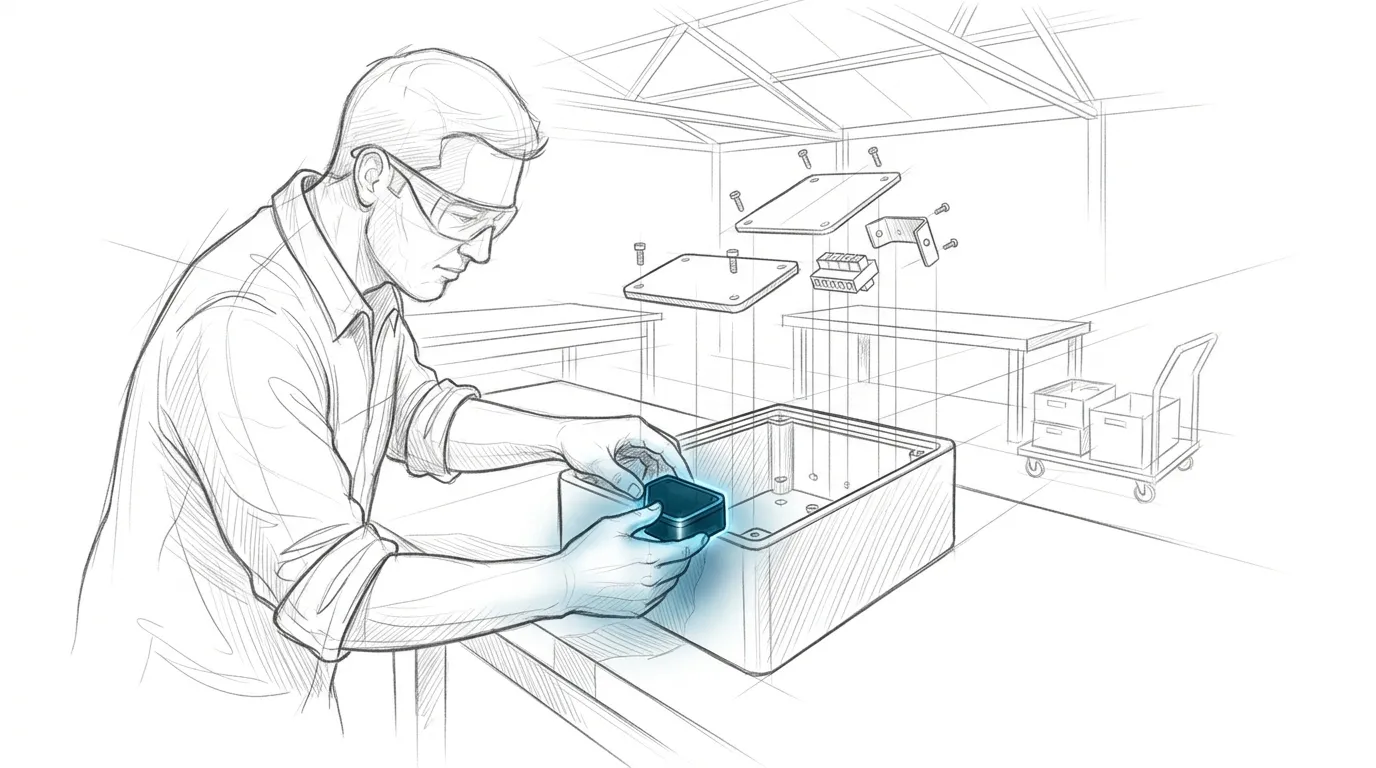
The Production module takes AIMSOC® to the workbench. A production order sets the plan each unit passes through and accompanies the work at the workstation. For each unit, AIMSOC® then records who built it and from which components.
Features
Define how a unit gets built
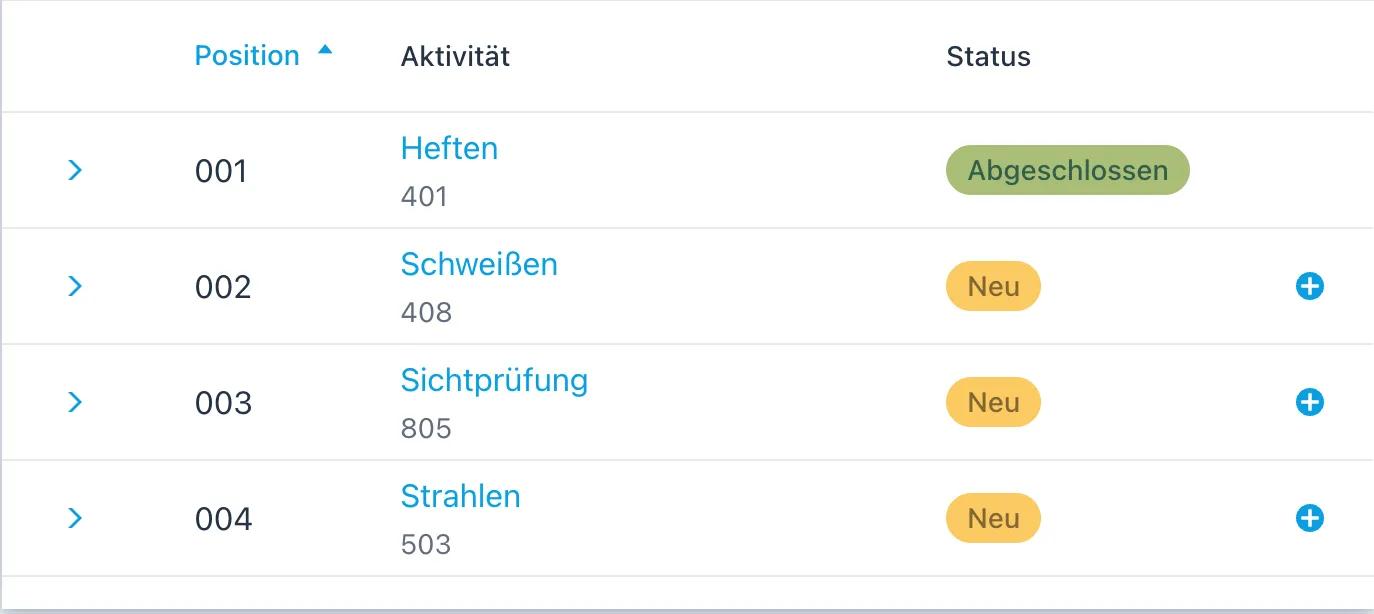
The plan sets out which steps have to be carried out on a unit, and in which order they follow one another.
Record components
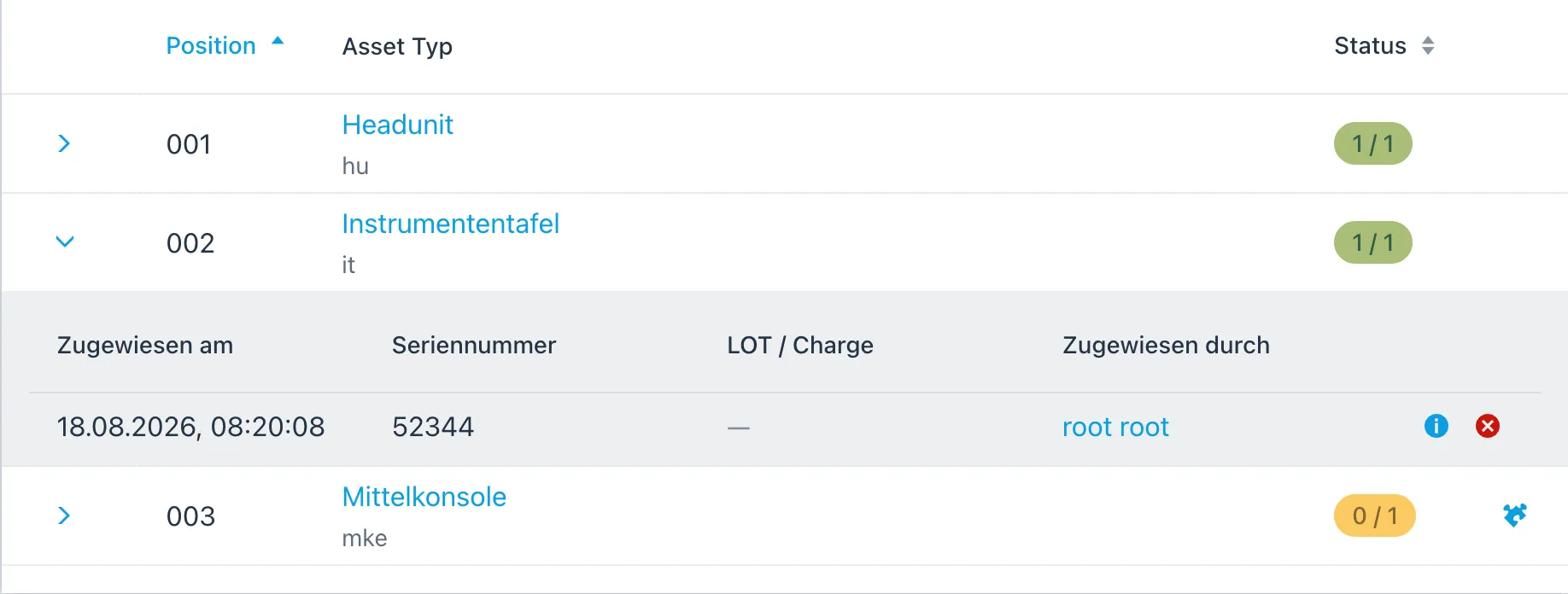
The bill of materials states which kinds of component are fitted into a unit.
Set the conditions for a step
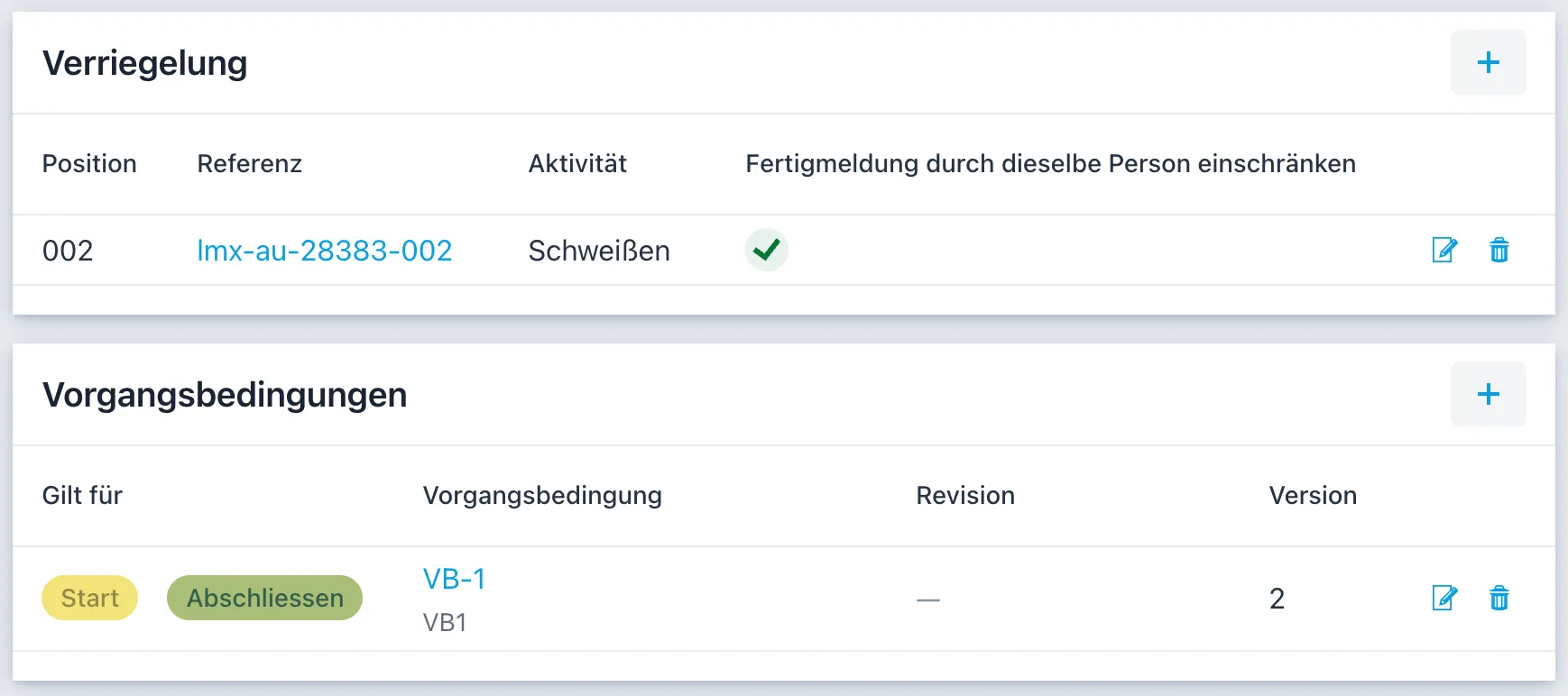
Who may carry out a step depends on the qualifications it requires. The four-eyes rule can be required in addition.
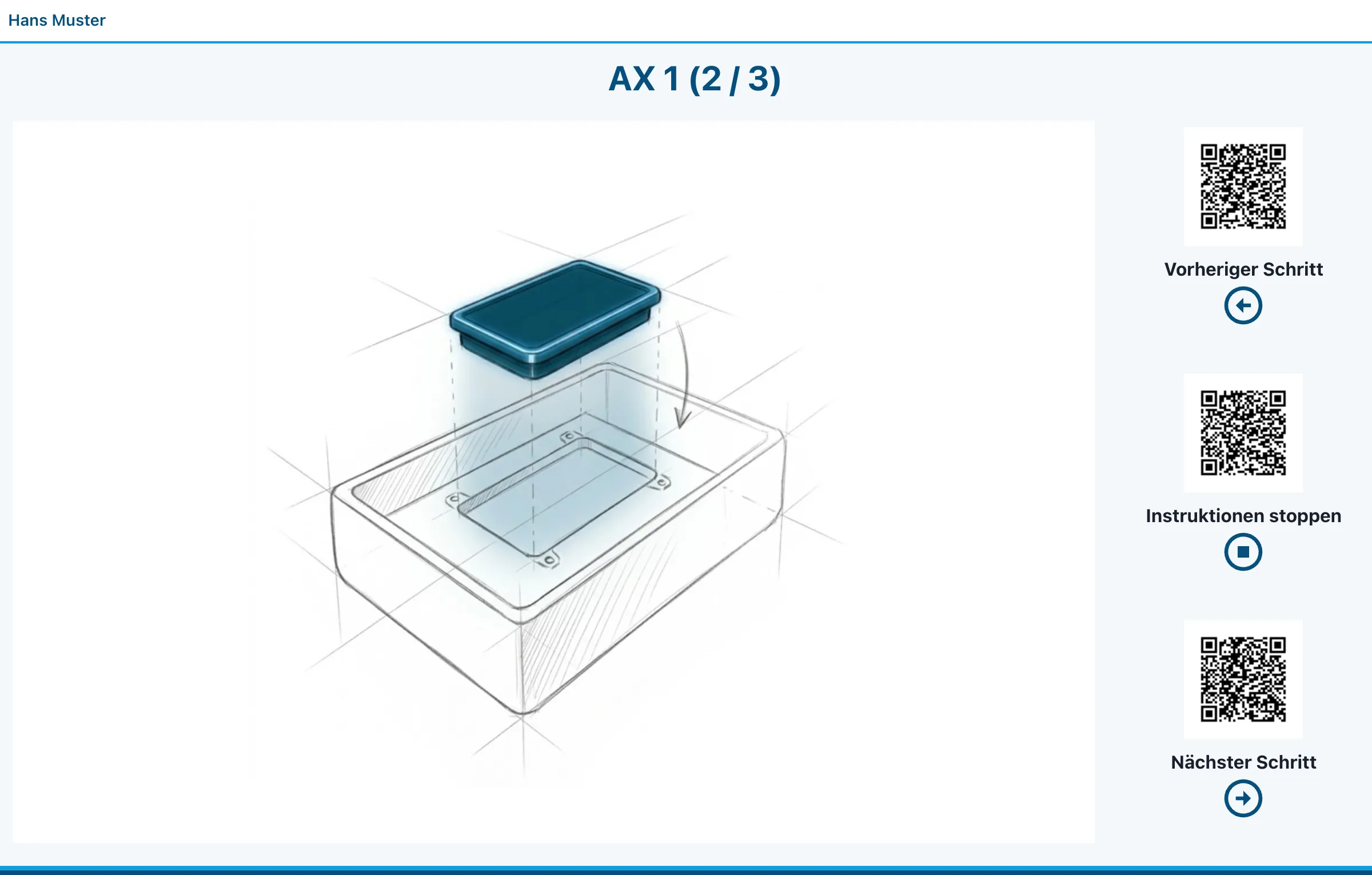
Guide the worker through a step
Each step can be given an illustrated work instruction. The worker pages through it while working.
A closer look
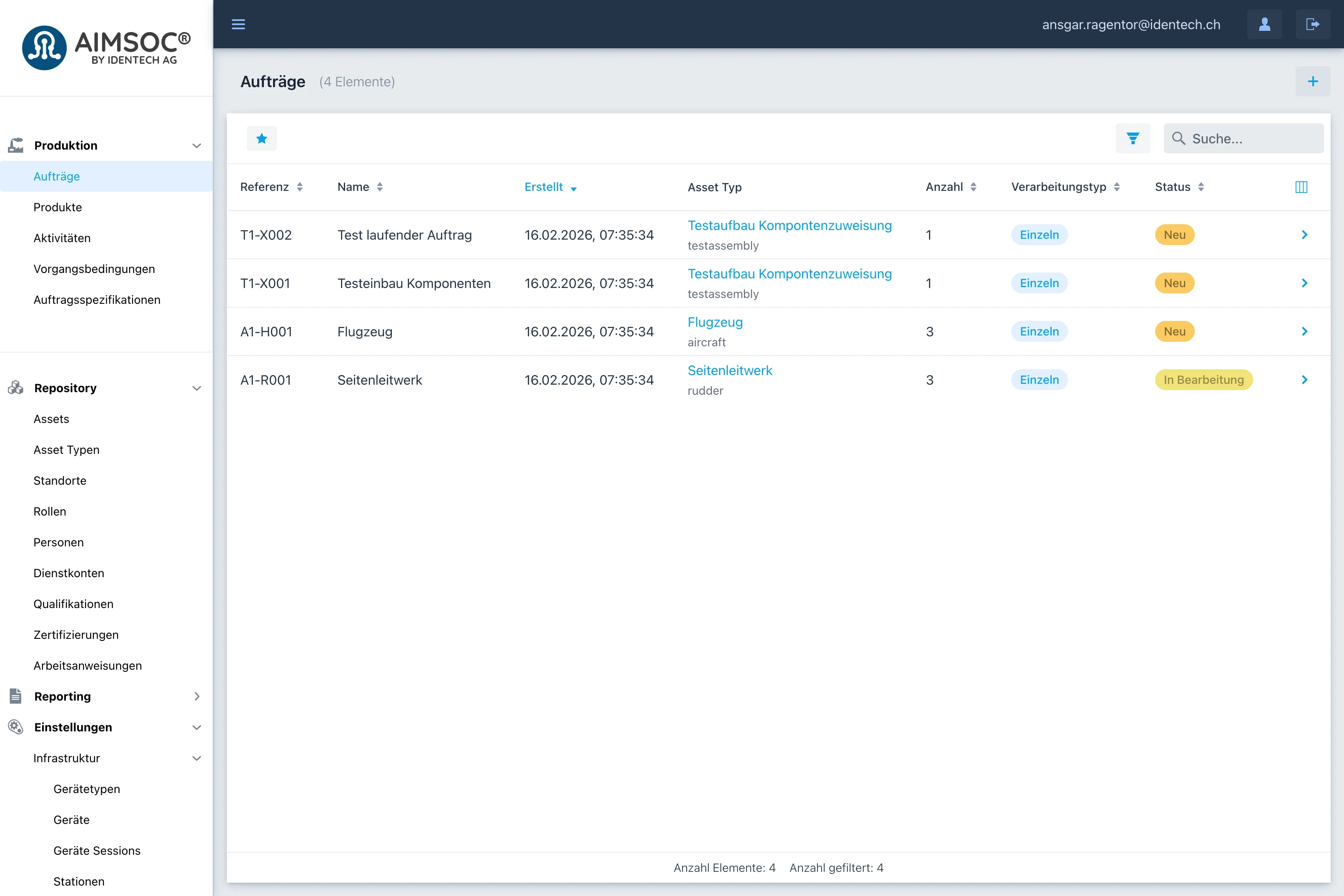
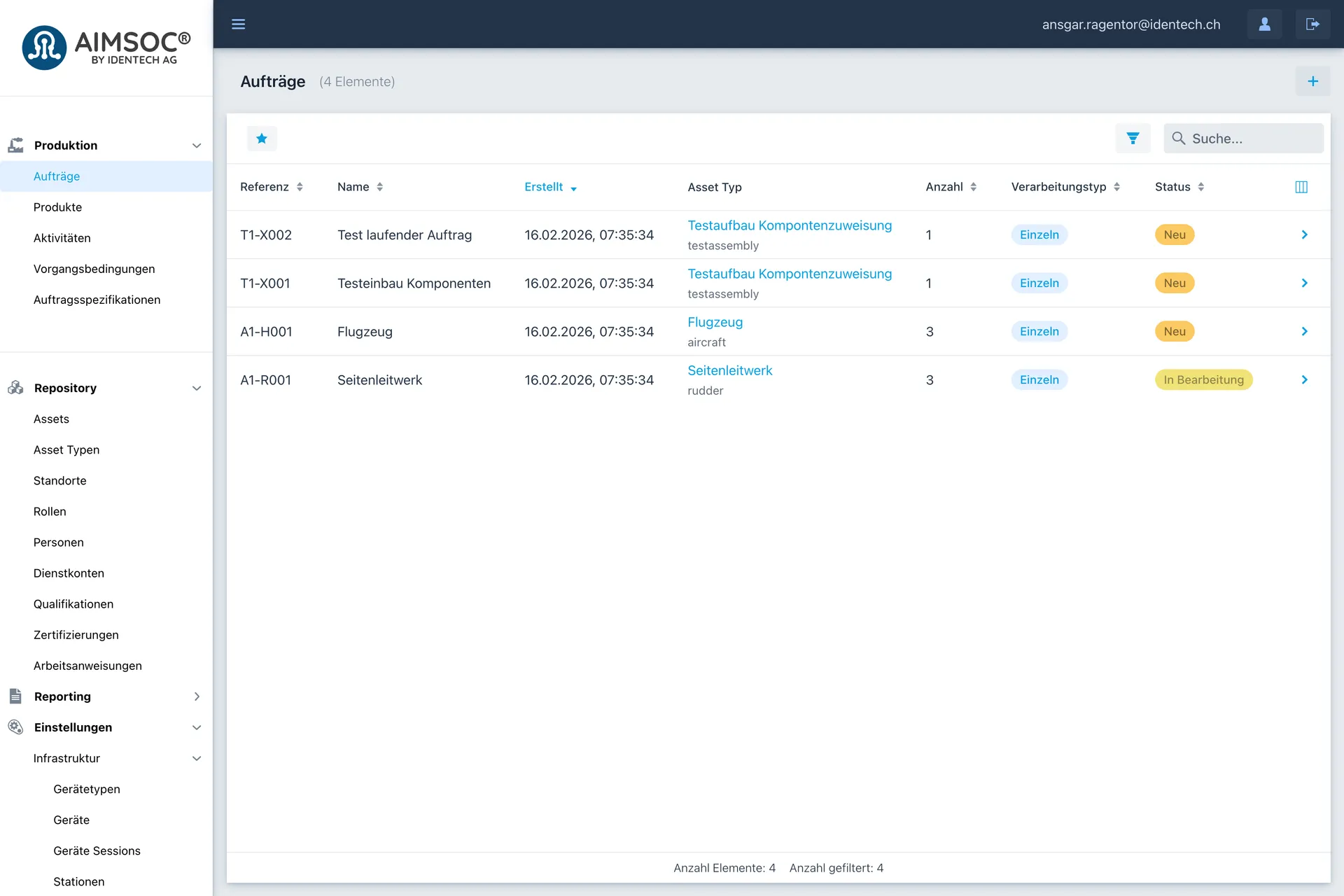
An order sets out what is built and how many units. The overview shows every order and its progress. 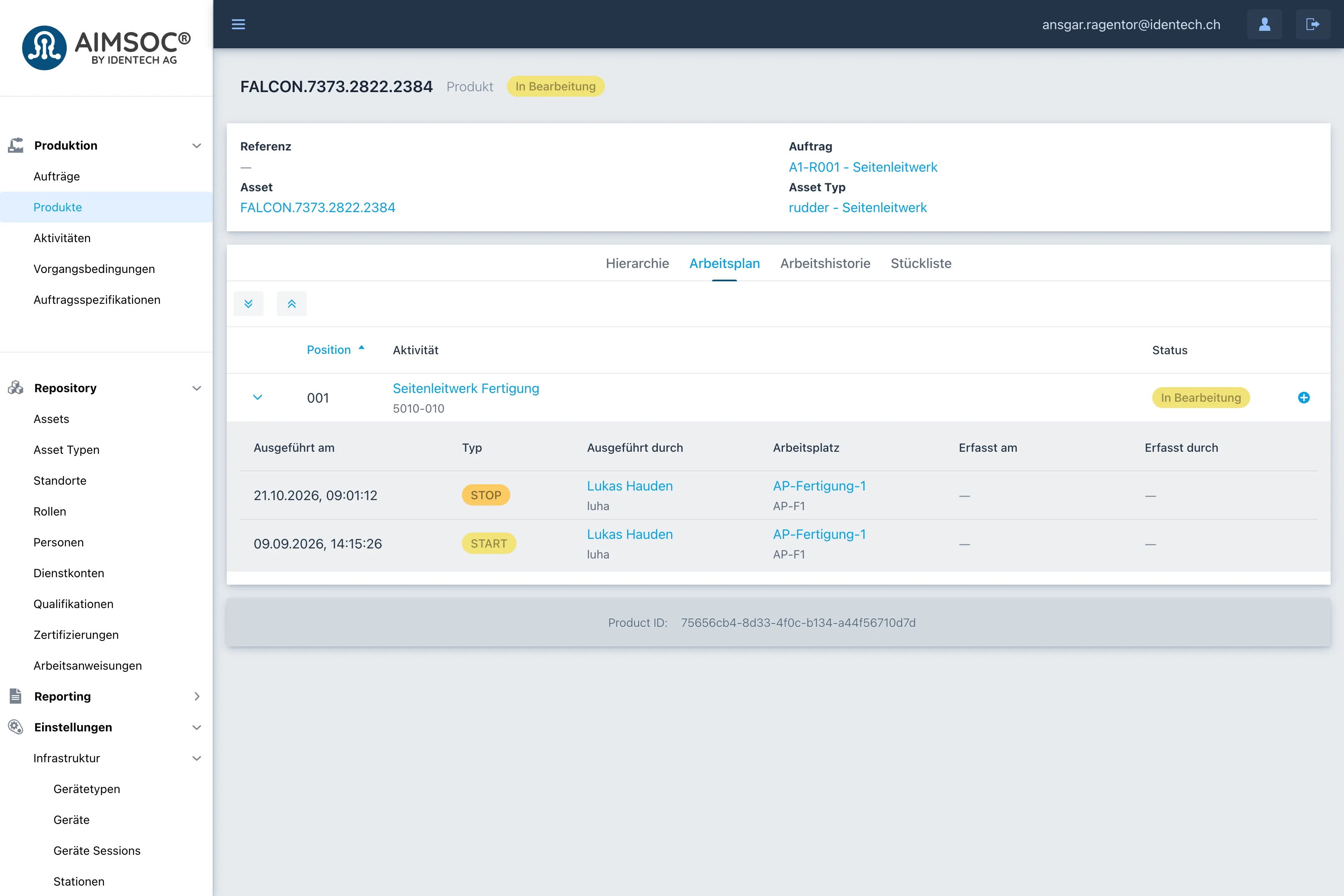
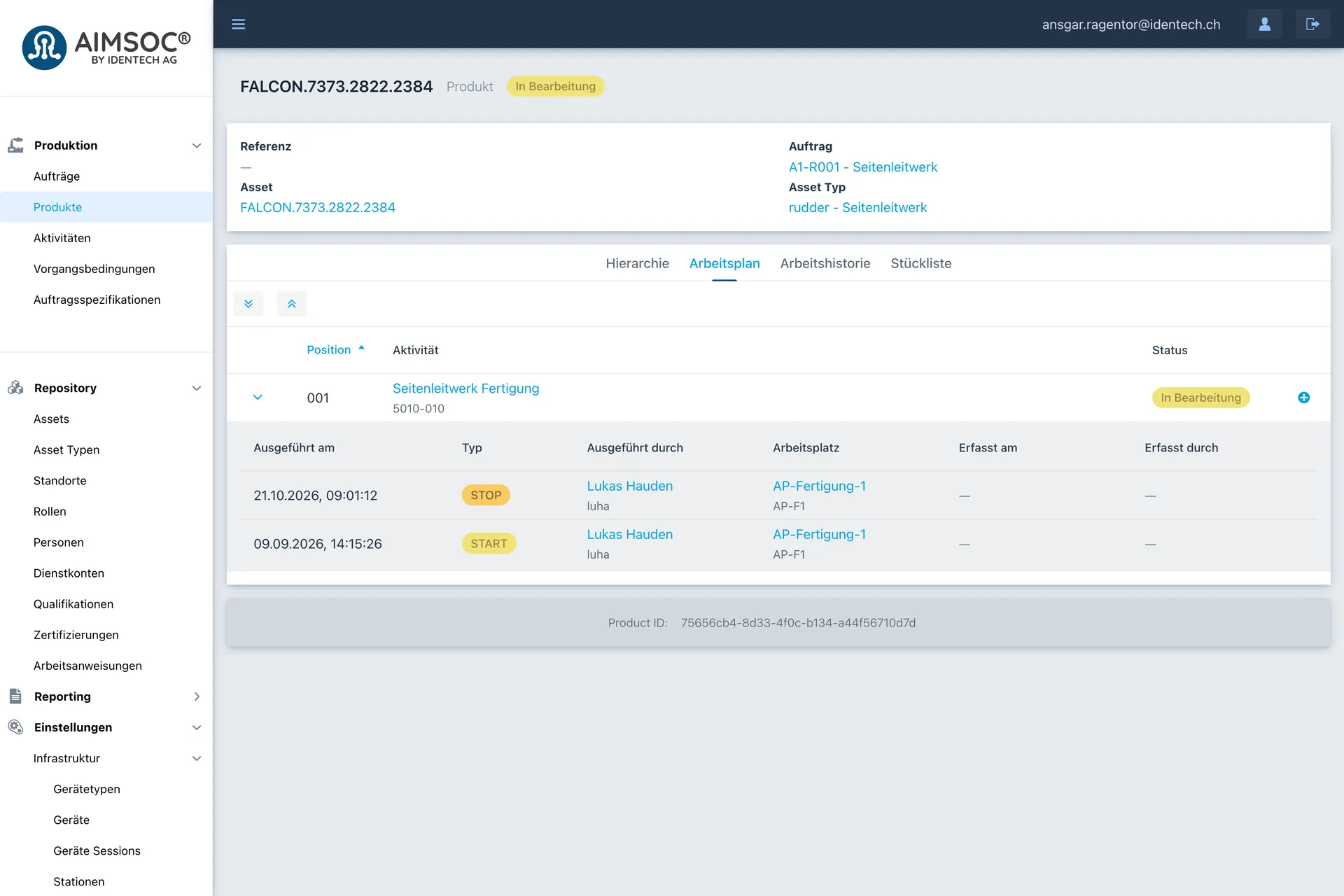
Every step of the plan records when it was started and stopped, by whom and at which workplace. 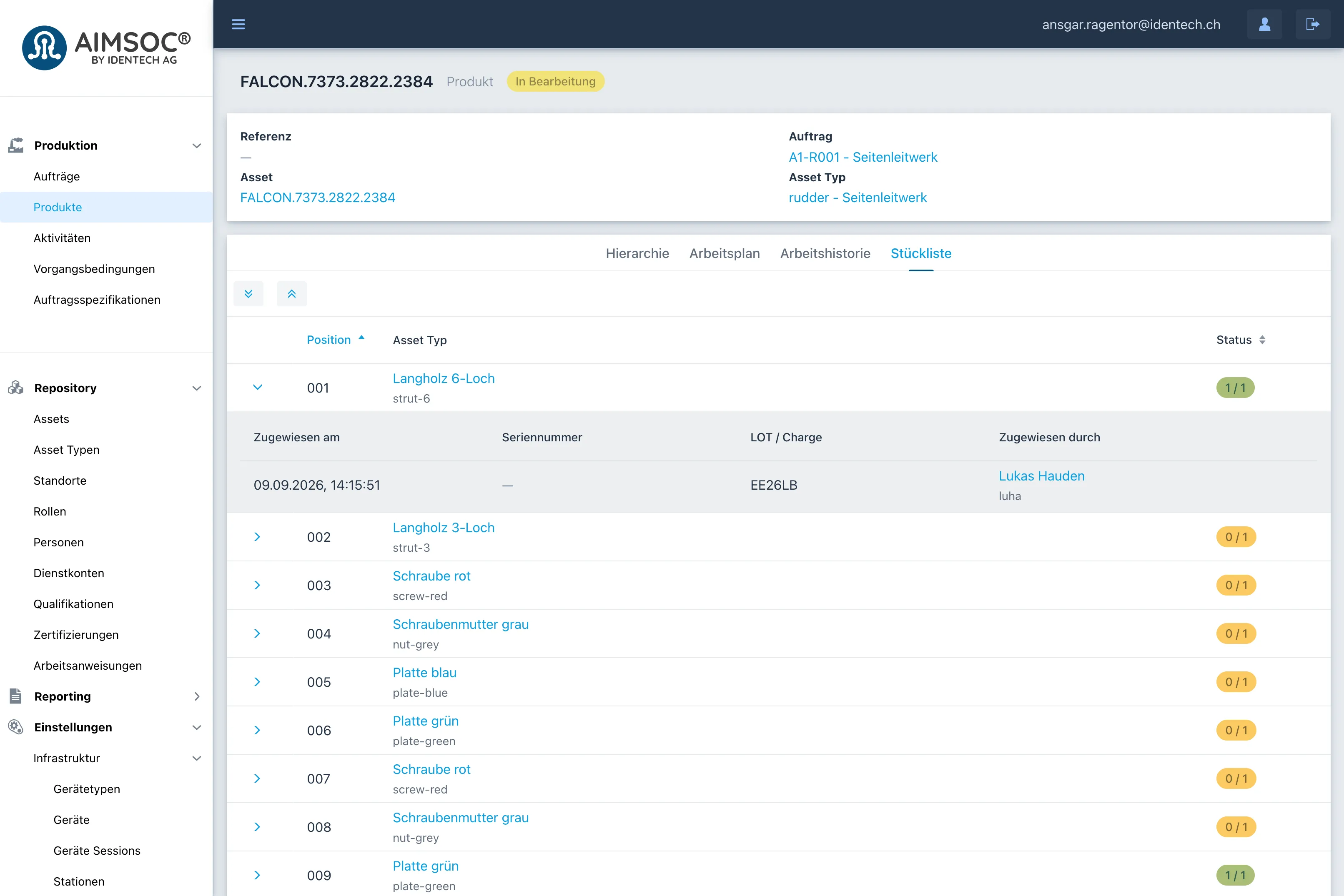
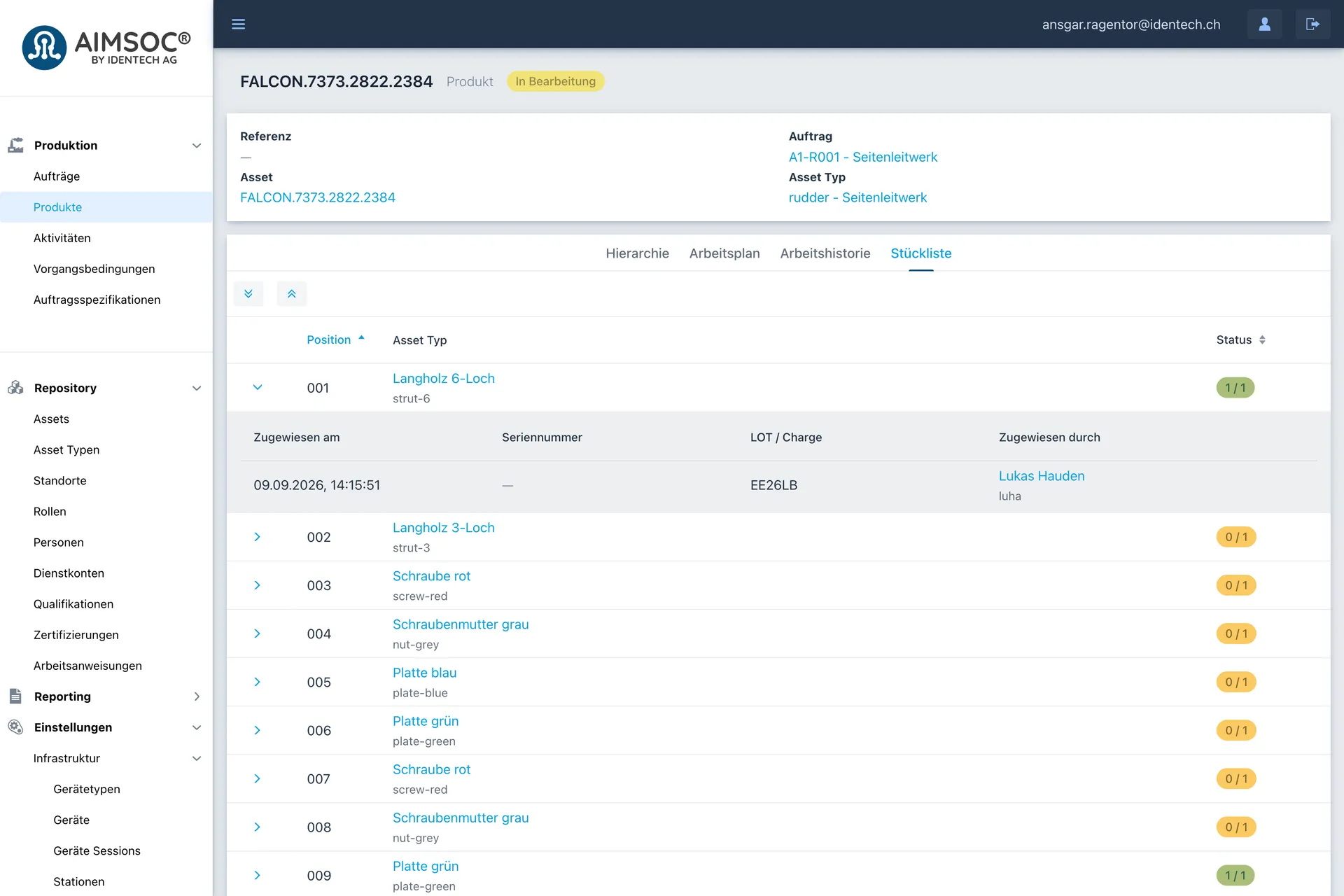
For every position on the bill of materials, the record shows which component went in, from which batch, and who fitted it. 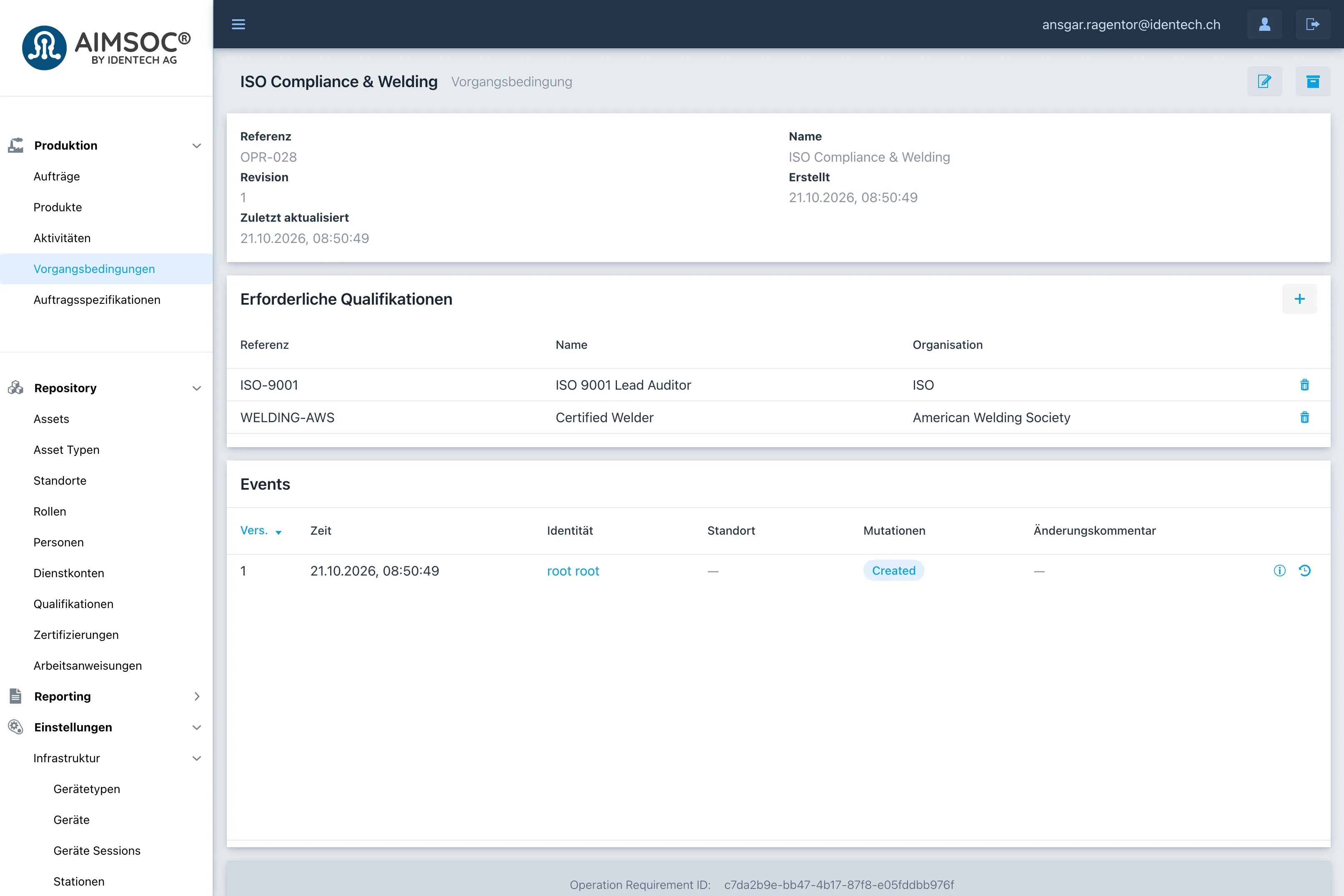
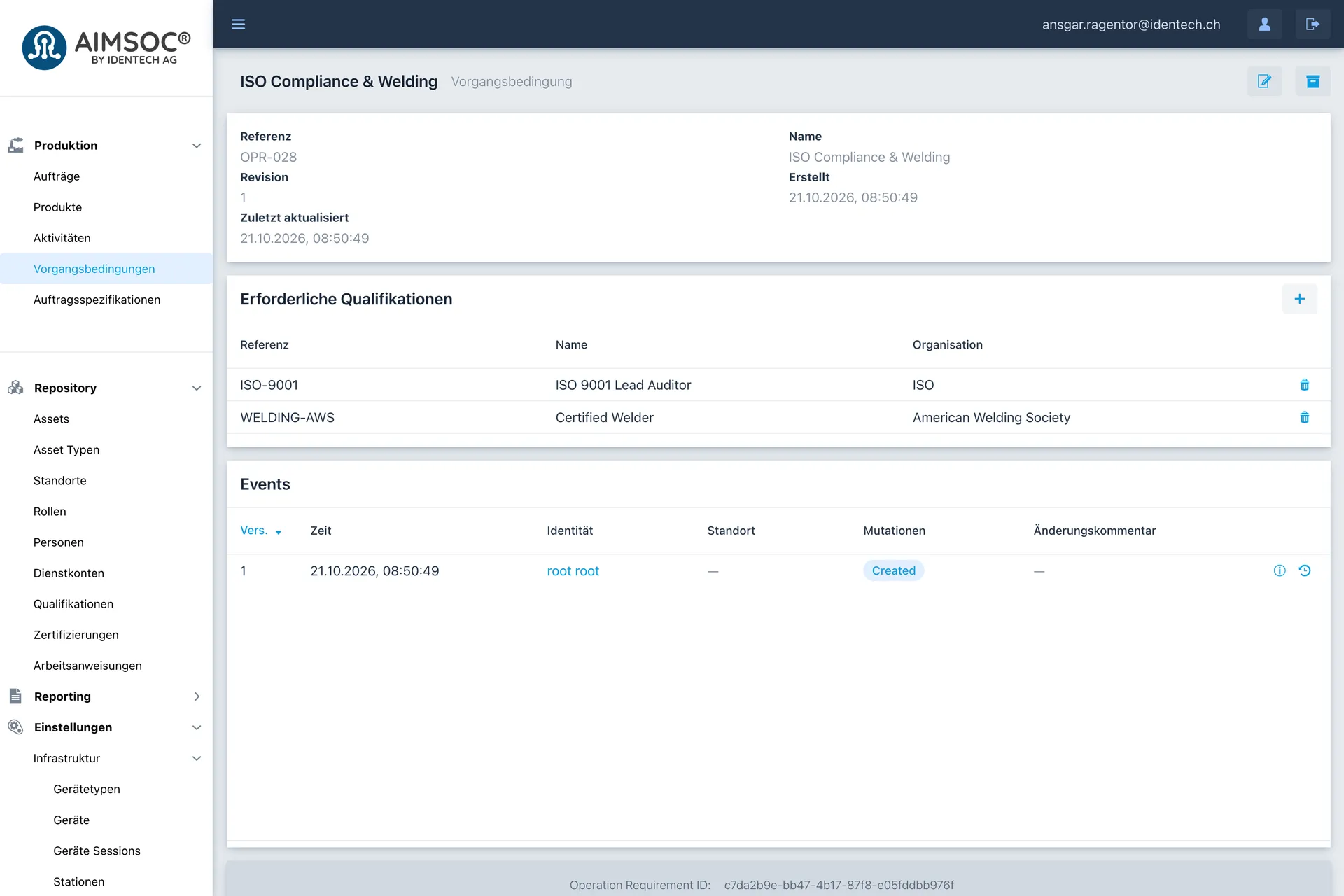
A step condition lists the qualifications a person must hold before they may carry out the step. 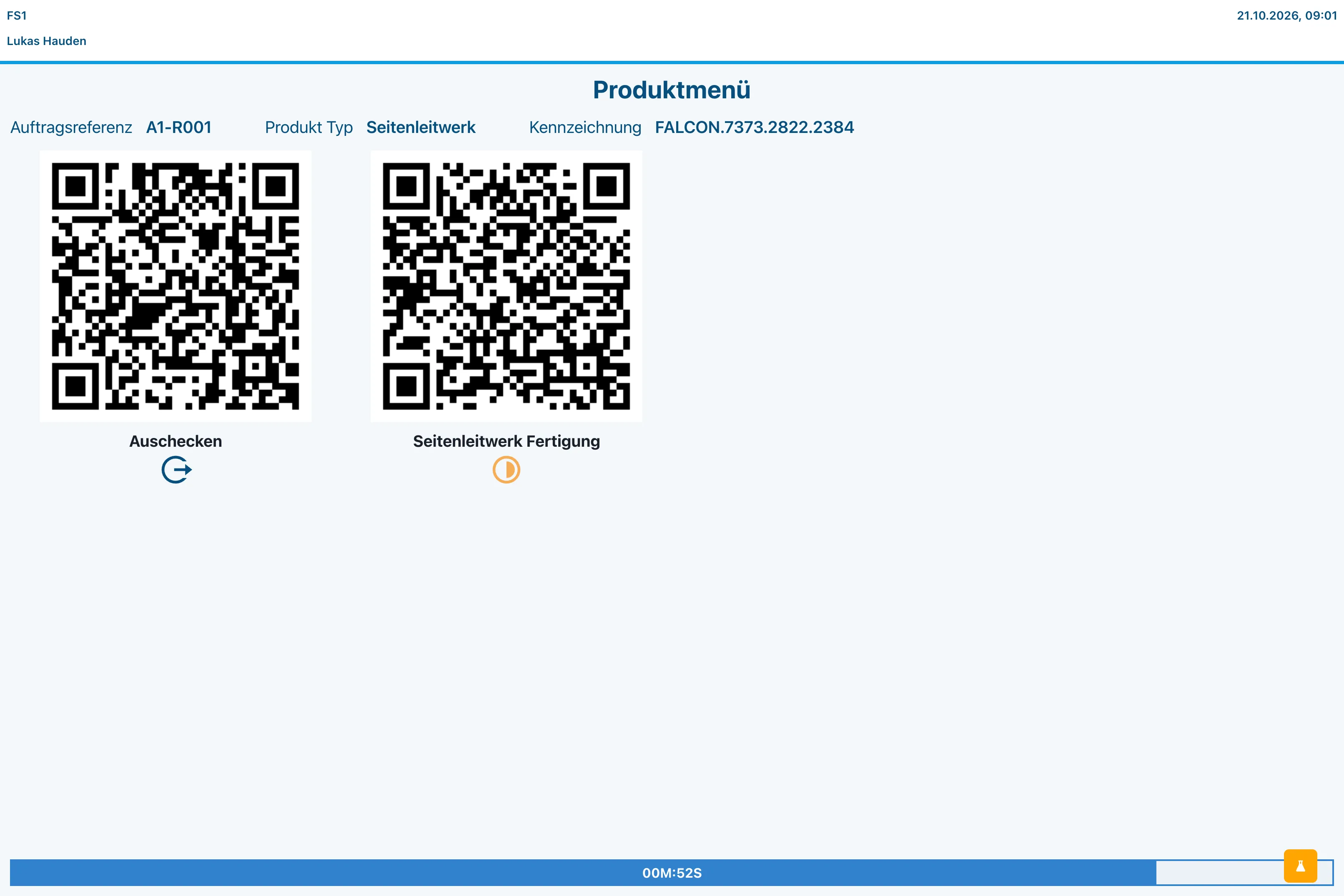
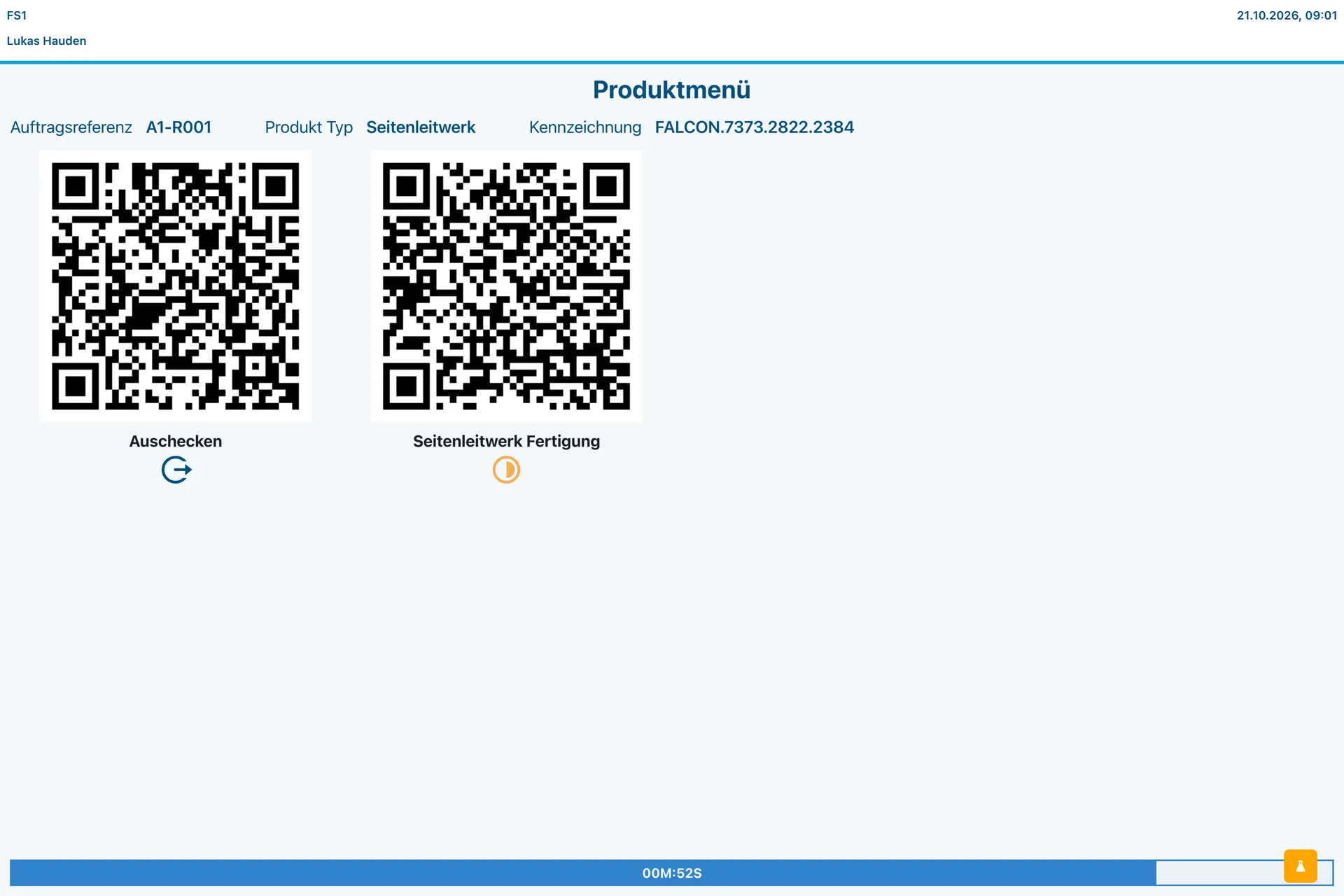
Once a unit is checked in, the terminal offers the steps that can be carried out at this workplace. 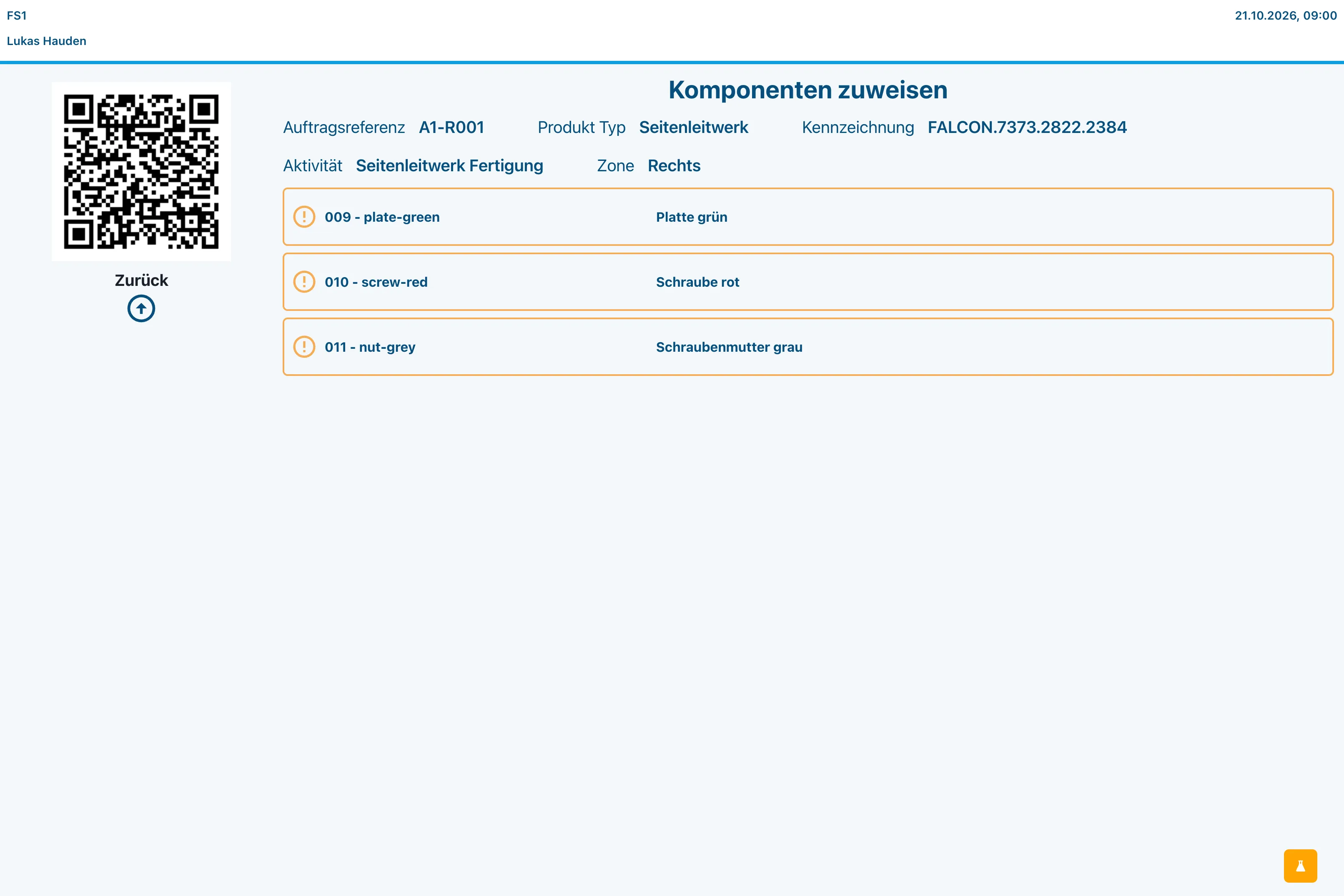
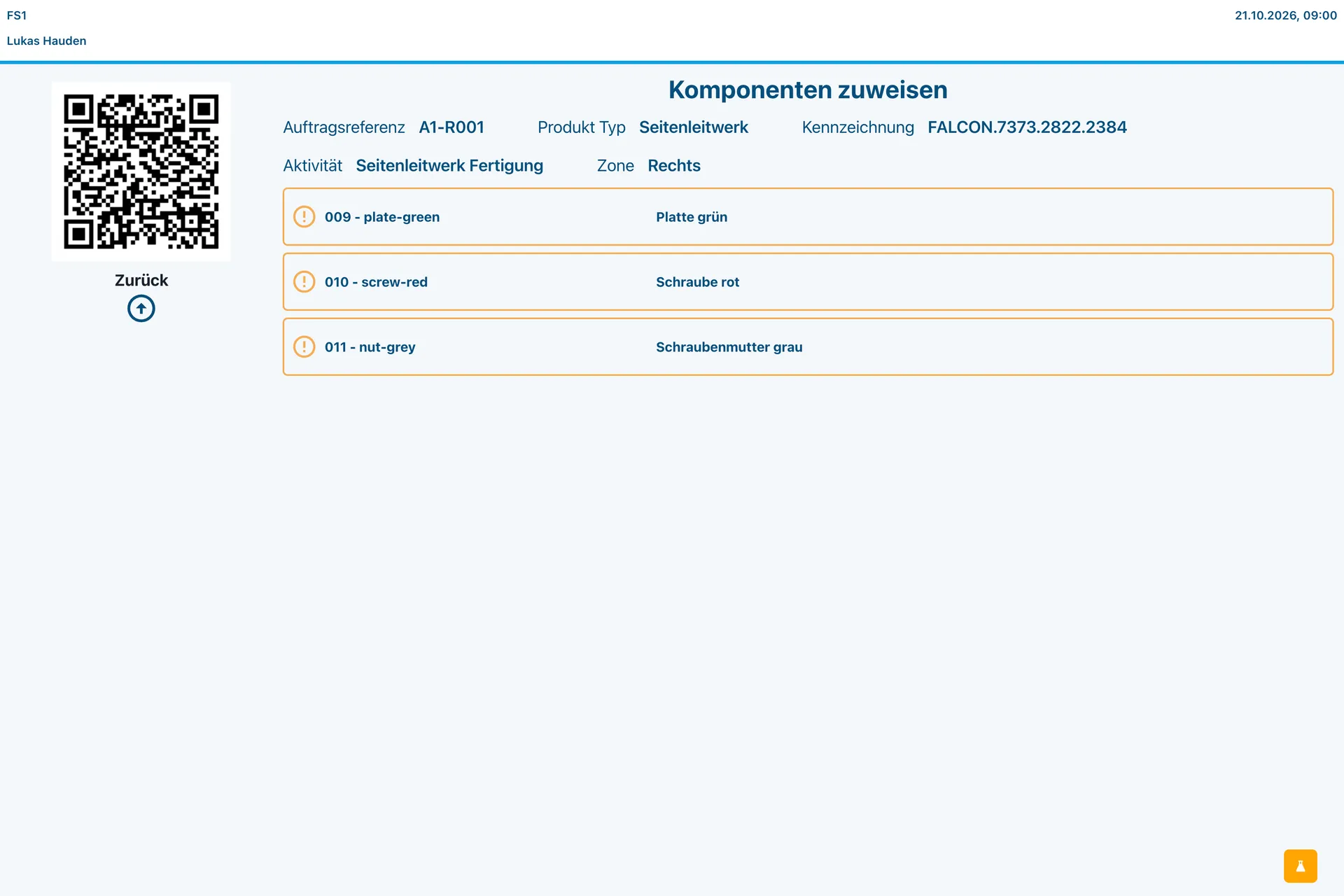
The terminal lists only the components the running step needs, in the zone being worked on. 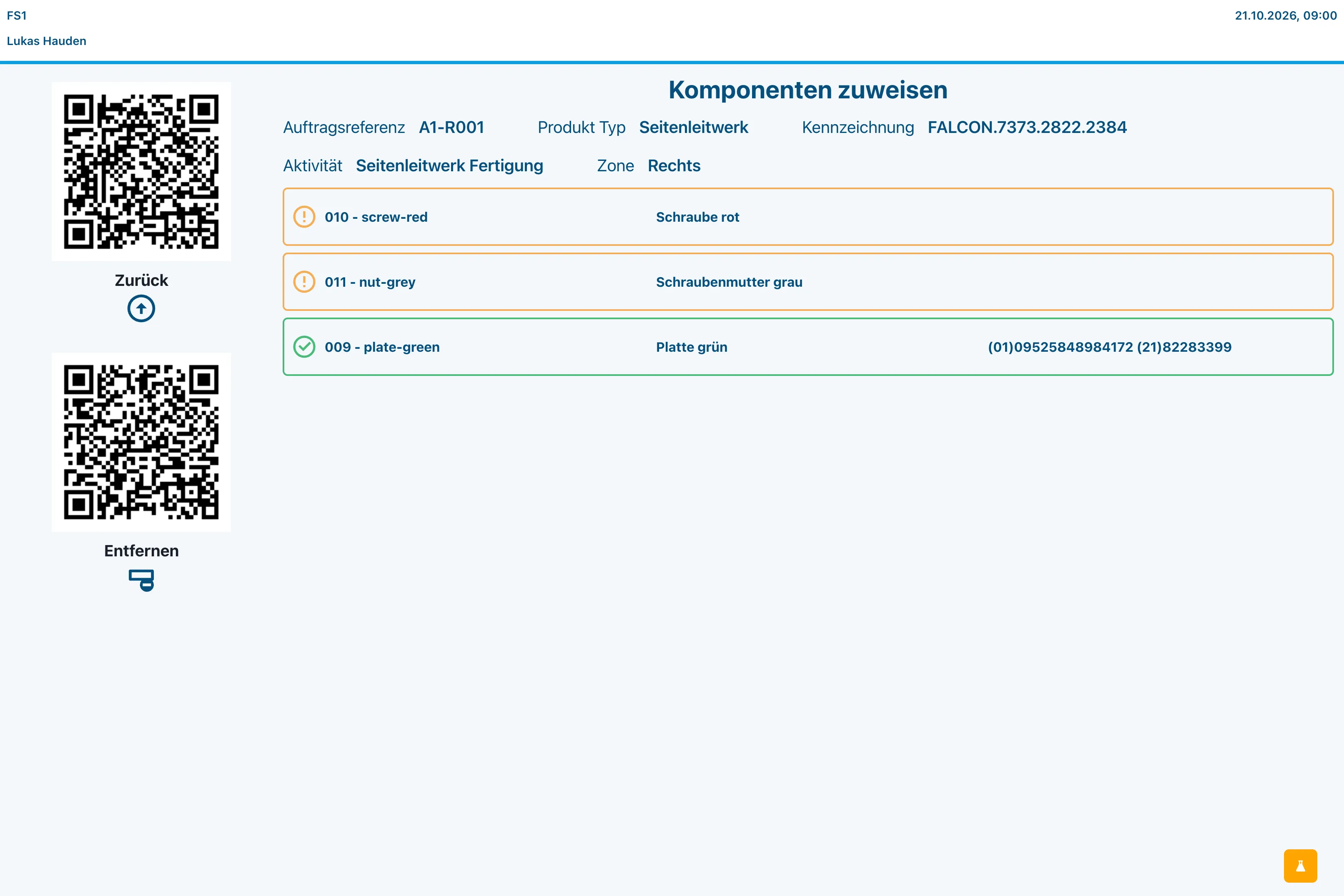
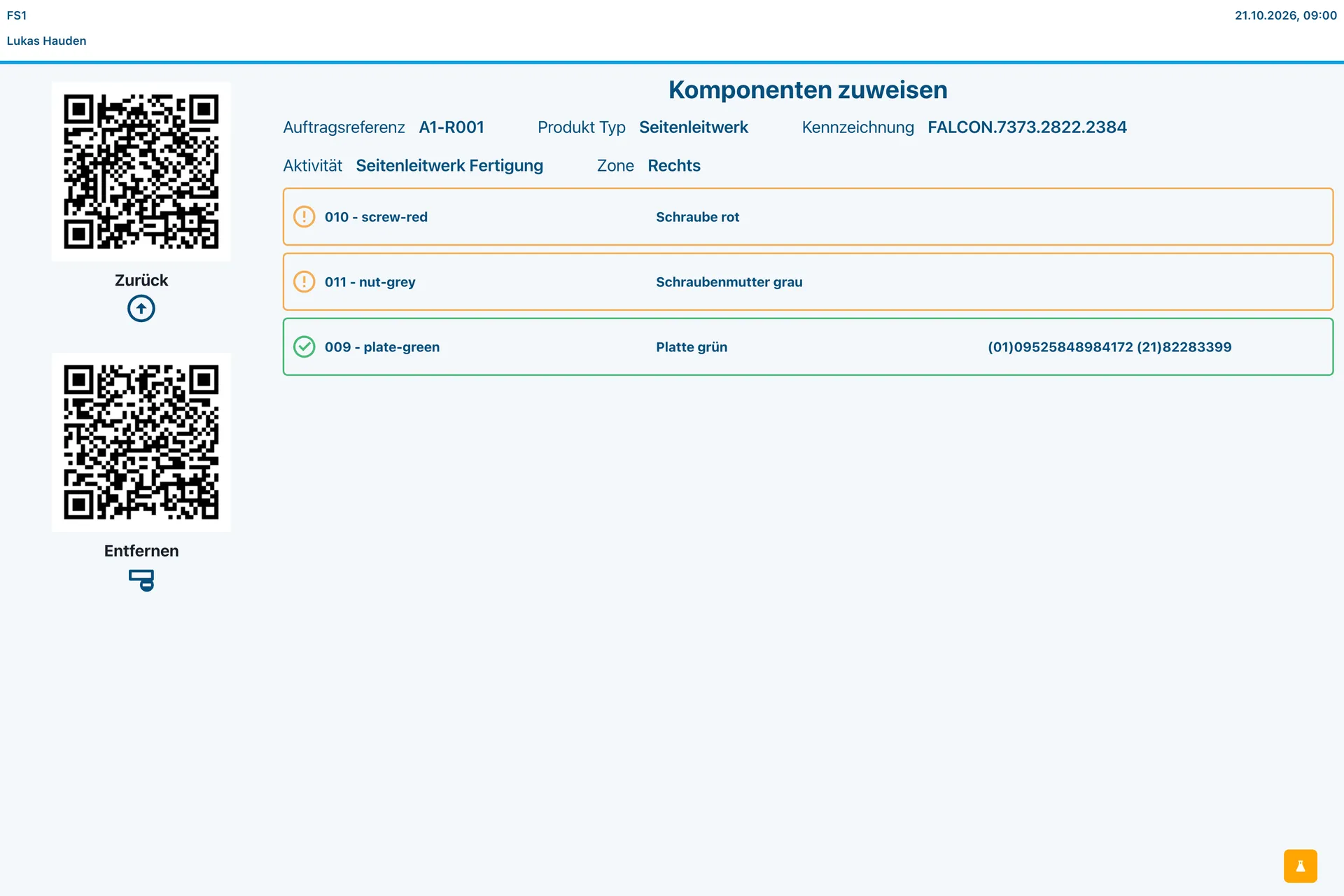
Each scanned component is recorded against its position on this unit, with the identifier that was read.
Tell us about your use case
Together, we work out whether and how your process can be digitized.